

Canonical Tag: What It Does, Why It Matters, and How to Use It Correctly
Canonical tags are one of the most important technical SEO signals for managing duplicate or near-duplicate content. They are also one of the most misunderstood. Many site owners know the term, but fewer understand when a canonical tag helps, when it does not, and how it fits into a broader technical SEO strategy.
That matters because duplicate URLs are common on modern websites. Category filters, tracking parameters, pagination patterns, printer-friendly pages, internal search variations, and CMS quirks can all create multiple versions of essentially the same content. When that happens, search engines need clearer signals about which version should be treated as the primary one.
This is where the canonical tag becomes useful. It helps consolidate signals, reduce ambiguity, and support cleaner indexing decisions. But it is not a cure-all. A canonical tag works best when it reinforces a strong site structure rather than compensating for a messy one.
This article explains what a canonical tag is, why it matters, how it works, where it fits within technical SEO, and what to avoid when implementing it.
What Is a Canonical Tag?
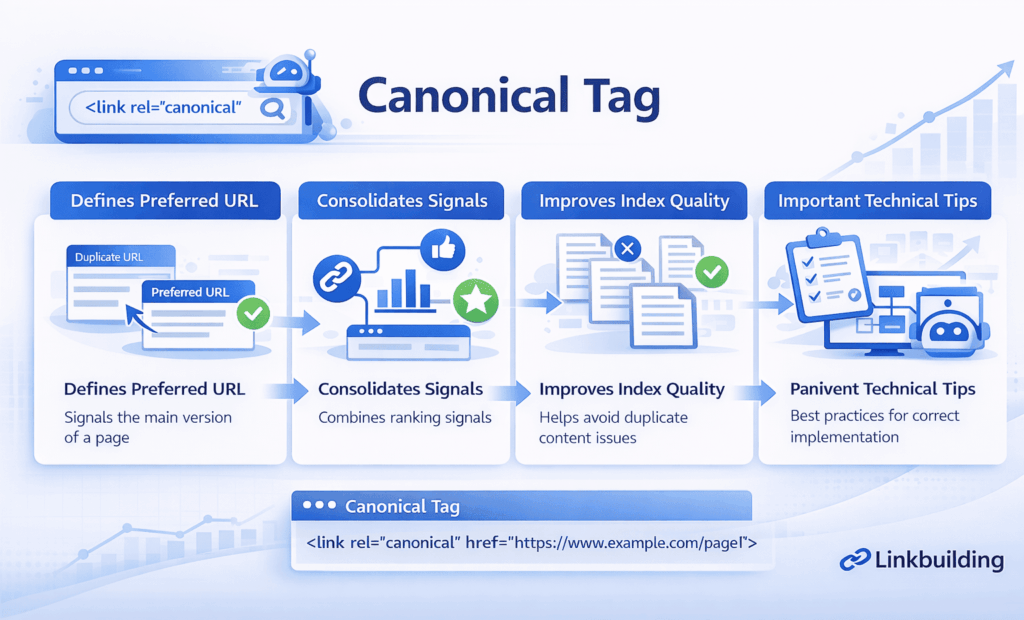
A canonical tag is an HTML element that tells search engines which version of a page should be treated as the preferred or primary URL when multiple similar URLs exist.
In simple terms, it says, “If these pages are similar, this is the version I want you to consider the main one.”
The canonical tag usually appears in the <head> section of a page and points to the canonical URL. It is commonly used when pages are duplicated or nearly duplicated across different URL versions.
Examples include:
- URL parameters used for tracking
- filtered category pages
- printer-friendly versions
- HTTP and HTTPS variations
- trailing slash and non-trailing slash duplicates
- uppercase and lowercase URL variants
- product pages reachable through multiple category paths
A canonical tag does not block crawling or force indexation rules in the same way a noindex tag does. It is a signal, not an absolute command. Search engines often respect it when the surrounding signals are consistent, but they are not required to follow it if the implementation looks weak or contradictory.
Why Canonical Tags Matter
Canonical tags matter because search engines need clarity. When several URLs contain the same or highly similar content, search engines have to decide which version to index, rank, and consolidate signals around.
If you do not help guide that decision, search engines will make their own judgment. Sometimes that is fine. Sometimes it leads to the wrong version being indexed, weaker pages receiving ranking signals, or duplication creating avoidable confusion.
They reduce duplicate content ambiguity
Duplicate content is not always a penalty issue, but it is often a clarity issue. Canonical tags help reduce uncertainty by reinforcing which page should be treated as the main version.
They support stronger signal consolidation
When multiple versions of a page exist, signals such as internal relevance, backlinks, and indexing preferences can become diluted. A canonical tag helps point those signals toward the preferred URL.
They improve index quality
Not every accessible URL deserves its own indexed presence. Canonical tags help search engines understand when several versions should effectively roll up under one primary page.
They support scalable technical SEO
On larger websites, URL variation is hard to avoid completely. Canonical tags help control that complexity, especially when combined with clean internal linking, XML sitemaps, and strong URL structure.
How a Canonical Tag Works
A canonical tag works by sending a preference signal to search engines about which URL should be considered the authoritative version of a page.
If several pages contain the same or nearly the same content, the canonical tag tells search engines which one you want treated as the main page for indexing and ranking purposes.
That process works best when other signals align with the canonical choice. For example, the preferred page should ideally also be:
- internally linked as the main version
- listed in the XML sitemap
- free from conflicting canonical references
- consistent with redirects
- clearly indexable
A canonical tag is much more persuasive when it matches the rest of the technical setup. If you say one page is canonical but your internal links, sitemaps, and redirects all suggest a different version, search engines may ignore your canonical preference.
Where Canonical Tags Are Most Useful
Canonical tags are most useful when duplication is either unavoidable or structurally common.
Parameter-based URLs
Tracking parameters, sort options, and filter paths often create multiple URLs with little or no meaningful content difference. Canonical tags can help reinforce the clean primary version.
Ecommerce filtering and faceted navigation
Category pages often generate many filtered combinations. Some filtered pages may deserve their own indexation strategy, but many do not. Canonical tags are often part of how those variations are managed.
Similar product or content paths
The same page may sometimes appear under multiple category structures or navigation paths. A canonical tag helps identify the preferred location.
Cross-domain or syndicated content
When content is republished across websites, canonical tags can sometimes be used to indicate the original preferred source. This requires more care, but it is a legitimate use case.
Canonical Tag vs Other SEO Signals
Canonical tags are often confused with other technical controls. Understanding the difference is important.
Canonical tag vs noindex
A canonical tag says which version is preferred. A noindex tag says the page should not appear in the index. These are not the same instruction.
In some cases, combining signals badly creates confusion. If a page says “do not index me” but also points canonically to another page, the outcome depends on how search engines interpret the broader context.
Canonical tag vs redirect
A redirect moves users and bots to a different URL. A canonical tag leaves the page accessible but signals that another version is preferred.
If a duplicate page should no longer exist at all, a redirect is often cleaner than leaving it live with a canonical.
Canonical tag vs robots.txt
Robots.txt controls crawling access. A canonical tag helps with preferred URL selection. Blocking a page in robots.txt can prevent search engines from accessing the tag at all, which means the canonical signal may never be seen.
This is why canonicalization connects naturally to related cluster topics such as robots.txt SEO, crawling and indexing, XML sitemap SEO, and URL structure SEO.
Common Canonical Tag Mistakes
Canonical tags are useful, but they are easy to misuse.
Canonicalizing pages that are too different
A canonical tag works best when pages are substantially similar. If you point a page to a different page with different intent, different content, or different purpose, search engines may ignore the tag.
Sending conflicting signals
A common problem is inconsistency. A page may canonically point to one URL while the sitemap lists another, internal links prefer a third, and redirects suggest a fourth. That weakens trust in the implementation.
Using canonicals as a patch for poor site structure
Canonical tags help manage duplication, but they are not a substitute for fixing broken architecture, unnecessary URL generation, or weak CMS behavior. If the site continuously creates low-value duplicates, the better solution is often to reduce duplication at the source.
Canonical chains
A canonical chain happens when page A canonicals to page B, and page B canonicals to page C. That adds unnecessary complexity. The best practice is to point directly to the final preferred URL.
Self-referencing errors or missing canonicals
A self-referencing canonical is often useful because it reinforces the preferred version of a page. But if the wrong version self-canonicalizes, or if canonicals are missing across important templates, search engines may have to make decisions without enough guidance.
Practical Guidance for Using Canonical Tags Correctly
The best way to approach canonical tags is strategically rather than mechanically.
Start by identifying where duplication actually exists. Not every URL variation needs a complex canonical setup. Focus on patterns that matter, such as parameter duplication, category variations, template duplicates, or syndicated content.
Then ask a few practical questions:
- Which version should be the primary URL?
- Are the duplicate pages truly similar enough for canonicalization?
- Do internal links support the preferred version?
- Does the XML sitemap list the canonical version only?
- Are redirects, canonicals, and indexation signals aligned?
For most websites, a good canonical setup depends less on the tag itself and more on the consistency around it.
It is also important to think in templates. If an ecommerce filter pattern creates thousands of duplicated URLs, solving the issue on one page does not solve the broader problem. Canonical tag implementation should usually be reviewed at scale.
Timing and Expectations
Canonical tag changes can influence crawling and indexing relatively quickly, but results depend on how clearly the rest of the site supports the canonical preference.
If the change resolves obvious duplication and aligns with internal linking, sitemaps, and indexable page selection, search engines may consolidate signals more efficiently over time. If the implementation is inconsistent, the impact may be limited.
It is also important to stay realistic. A canonical tag does not improve content quality or search intent alignment. Its role is to reduce technical ambiguity. That can be valuable, but it works best as part of a stronger technical SEO foundation.
Related Technical SEO Topics
Canonical tags rarely exist in isolation. They work best when supported by related technical systems. Within a broader cluster, this topic connects naturally to:
- technical SEO fundamentals
- crawling and indexing
- XML sitemap SEO
- robots.txt SEO
- URL structure SEO
- duplicate content management
- internal linking
- technical SEO audits
That relationship matters because canonical signals become stronger when the rest of the technical framework is clean and consistent.
Conclusion
A canonical tag is one of the most useful tools for managing duplicate and near-duplicate URLs, but only when it is used with clear intent and proper technical alignment.
It helps search engines understand which version of a page should be treated as primary. That supports cleaner indexing, stronger signal consolidation, and less ambiguity across the site. But it is not a shortcut for fixing every duplication issue, and it should never be used as a substitute for solid architecture.
The strategic takeaway is simple: use canonical tags to reinforce the right version of a page, not to compensate for structural disorder. When the preferred URL is supported by internal links, sitemaps, clean URL structure, and consistent technical signals, canonicalization becomes much more reliable and much more valuable.